
Finding the right graphics card for Windows 11 gaming can feel overwhelming with so many options available. The good news? The market offers excellent choices across different price points, each delivering smooth gameplay and stunning visuals. Modern graphics cards have evolved to handle everything from competitive esports titles to demanding AAA games with ray tracing enabled.
Windows 11 brings specific hardware requirements and optimizations that make choosing the right GPU even more important. DirectX 12 Ultimate support, Auto HDR, and improved gaming features mean the graphics card becomes the centerpiece of any gaming setup. This guide breaks down the top five graphics cards that deliver exceptional performance for Windows 11 gaming.
NVIDIA GeForce RTX 4090
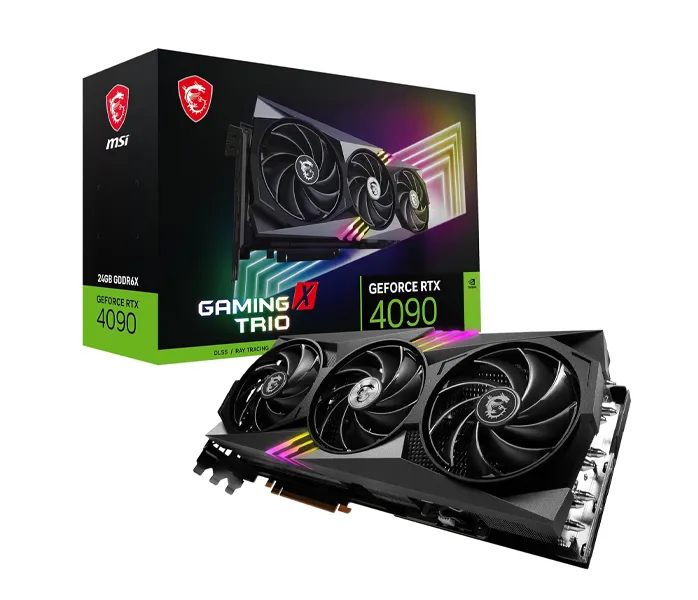
The RTX 4090 stands as the undisputed champion for enthusiasts who demand absolute maximum performance. This powerhouse delivers 4K gaming at ultra settings with ray tracing enabled, maintaining smooth frame rates that seemed impossible just a few years ago. The 24GB of GDDR6X memory ensures future-proofing for upcoming titles with increasingly detailed textures.
Built on the Ada Lovelace architecture, this card features 16,384 CUDA cores and a boost clock reaching 2.52 GHz. DLSS 3 technology with frame generation practically doubles frame rates in supported games, making even the most demanding titles playable at maximum settings. The key is to pair this card with a capable CPU and at least an 850W power supply to avoid bottlenecks.
Thermal management deserves attention with this beast. Most models feature triple-fan cooling solutions that keep temperatures reasonable, though expect the card to occupy three expansion slots. Gaming laptops and compact builds might struggle to accommodate this card, but desktop systems with proper airflow handle it beautifully.
AMD Radeon RX 7900 XTX
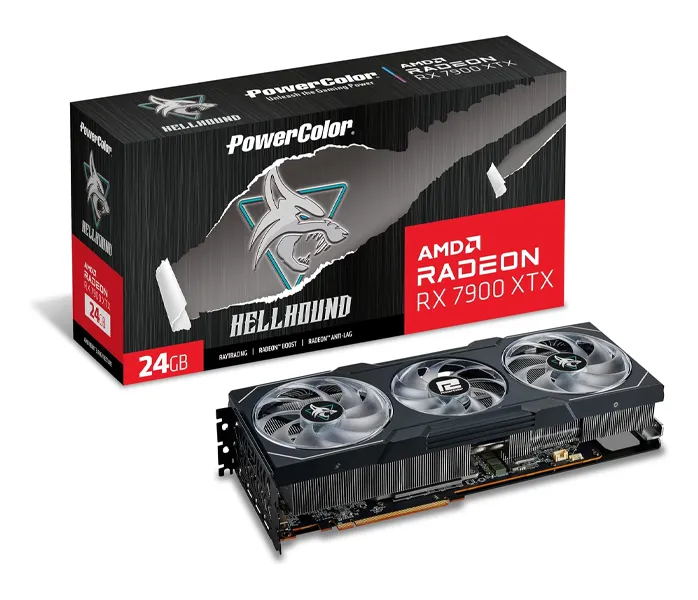
AMD’s flagship offering brings serious competition to the high-end market with impressive raw performance and excellent value. The RX 7900 XTX delivers 4K gaming capabilities at a lower price point than its main competitor, making it attractive for builders watching their budget without sacrificing quality.
This card packs 24GB of GDDR6 memory across a 384-bit bus, providing ample bandwidth for high-resolution textures. The RDNA 3 architecture includes 96 compute units running at up to 2.5 GHz, producing exceptional performance in rasterization workloads. Ray tracing performance has improved significantly over previous generations, though it still trails NVIDIA’s offerings slightly.
Power efficiency stands out as a strong point here. The 7900 XTX typically draws less power than competing cards while maintaining similar performance levels. Most people find that a quality 750W power supply handles this card comfortably, leaving headroom for the rest of the system. The card also runs cooler than expected, with reference models staying whisper-quiet during gaming sessions.
For those interested in exploring more hardware options, AMD’s ecosystem offers excellent compatibility with modern systems.
NVIDIA GeForce RTX 4070 Ti
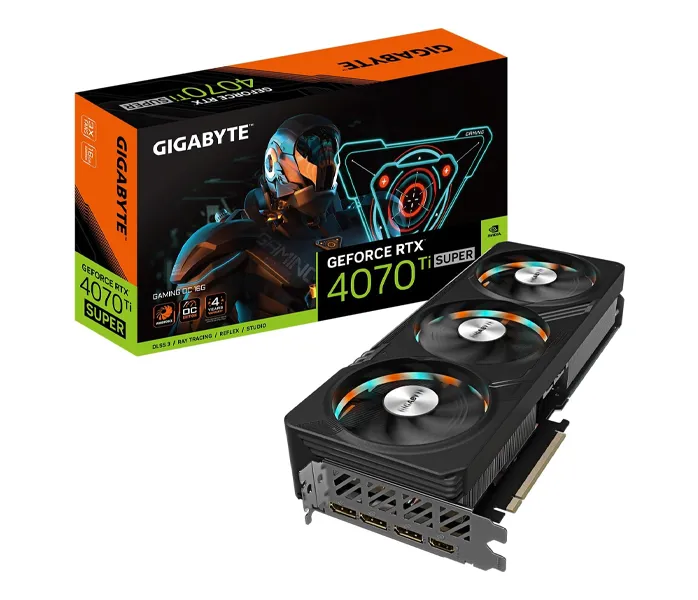
The sweet spot for 1440p gaming arrives with the RTX 4070 Ti, offering flagship-level features without the extreme price tag. This card handles every game at high refresh rates on 1440p displays, and even tackles 4K gaming when settings adjust slightly. Think of it as the perfect balance between performance and practicality.
With 12GB of GDDR6X memory and 7,680 CUDA cores, the 4070 Ti provides plenty of horsepower for modern games. DLSS 3 support means supported titles run buttery smooth, often exceeding 100 fps in competitive shooters. Ray tracing performance impresses at 1440p resolution, delivering gorgeous lighting and reflections without tanking frame rates.
Power requirements remain reasonable at around 285W TDP, meaning a 650W power supply suffices for most builds. The card fits comfortably in standard ATX cases without requiring excessive space. Cooling solutions from various manufacturers keep temperatures in check, with most models maintaining sub-70°C operation under load.
AMD Radeon RX 7800 XT
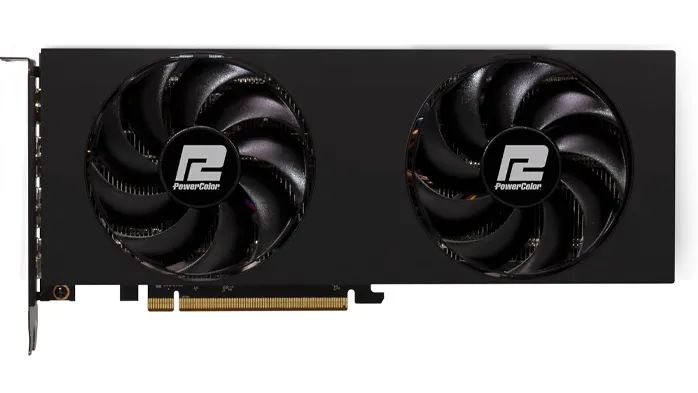
Budget-conscious gamers looking for excellent 1440p performance should consider the RX 7800 XT seriously. This card punches well above its price point, delivering smooth gameplay in virtually every title at high settings. The value proposition here makes it one of the most recommended options for mainstream gaming builds.
Featuring 16GB of GDDR6 memory, the 7800 XT provides more VRAM than many competitors at similar price points. This extra memory proves valuable in newer games with high-resolution texture packs and future-proofs the investment. The card handles 1440p gaming effortlessly, maintaining 60+ fps in demanding AAA titles with settings cranked up.
Ray tracing capabilities have improved with RDNA 3, though performance still benefits from keeping settings moderate. FSR 3 support in compatible games boosts frame rates significantly, making the gaming experience smoother overall. Power consumption sits around 263W, making this card efficient and easy to integrate into existing systems.
Compatibility with Windows 11 features works flawlessly, taking full advantage of DirectStorage and other gaming optimizations.
NVIDIA GeForce RTX 4060 Ti
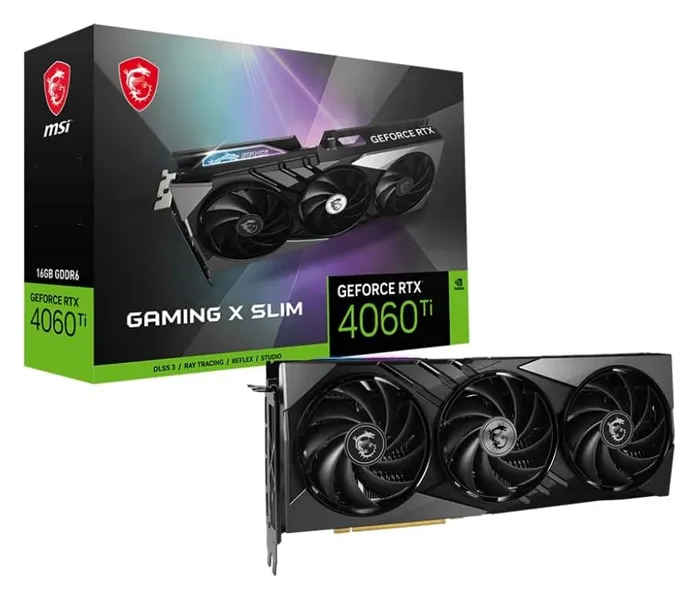
Entry-level gaming gets a serious upgrade with the RTX 4060 Ti, perfect for 1080p gaming and light 1440p use. This card represents the most affordable entry point into current-generation NVIDIA features, including DLSS 3 and improved ray tracing capabilities. Most people find this card delivers everything needed for enjoyable gaming without breaking the bank.
The 8GB VRAM configuration handles modern games comfortably at 1080p, though the 16GB variant exists for those planning to max out texture settings. Performance remains solid across popular esports titles, easily pushing 144+ fps for competitive gaming. Single-player games run beautifully with ray tracing enabled, especially when DLSS activates to maintain smooth frame rates.
Power efficiency shines as a major advantage here. The 160W TDP means even compact systems and budget power supplies handle this card without issues. Physical dimensions stay reasonable, fitting in most ITX and micro-ATX cases without clearance problems. Cooling remains simple with dual-fan designs keeping temperatures low and noise minimal.
Performance Considerations
Understanding how these cards perform in real-world scenarios helps make the right choice. The RTX 4090 and RX 7900 XTX dominate 4K gaming, maintaining 60+ fps in virtually everything with maximum settings. These cards future-proof builds for years, handling upcoming titles without requiring upgrades.
The RTX 4070 Ti and RX 7800 XT excel at 1440p gaming, the resolution many gamers prefer for its balance of visual quality and performance. Both cards maintain high refresh rates for competitive gaming while delivering gorgeous visuals in single-player experiences. This works best when paired with a quality 1440p monitor running at 144Hz or higher.
Budget builds benefit tremendously from the RTX 4060 Ti, which handles 1080p gaming perfectly. The card leaves room in the budget for other important components like a quality CPU, fast SSD storage, and adequate RAM. Performance remains excellent for years at this resolution, making it a smart long-term investment.
Choosing Based on Budget
Budget determines which card makes sense for each situation. Premium builders seeking no-compromise performance should look at the RTX 4090 or RX 7900 XTX. These cards cost significantly more but deliver unmatched capabilities that justify the investment for enthusiasts.
Mid-range budgets align perfectly with the RTX 4070 Ti and RX 7800 XT. These cards offer exceptional value, delivering high-end gaming experiences without the extreme cost. Most people find these options provide everything needed for enjoyable gaming at popular resolutions.
Tight budgets still get excellent options with the RTX 4060 Ti. This card proves that entry-level no longer means compromise, delivering solid performance and modern features. The savings can go toward other components that enhance the overall gaming experience.
Installation and Setup Tips
Installing a new graphics card in a Windows 11 system follows straightforward steps. First, ensure the power supply provides adequate wattage for the chosen card. Check the GPU manufacturer specifications and add at least 100W headroom for system stability.
Physical installation requires removing old drivers completely before swapping cards. Use DDU (Display Driver Uninstaller) in Safe Mode to clean previous drivers thoroughly. This prevents conflicts and ensures the new card runs optimally from the start. After installing the physical card and connecting power cables, boot into Windows 11 and install the latest drivers from NVIDIA or AMD.
Windows 11 automatically enables gaming features like Auto HDR and DirectStorage when compatible hardware gets detected. Check Windows Update for any additional drivers or firmware updates after initial installation. The system might require a restart to fully activate all features, so plan accordingly.
Optimizing Windows 11 for Gaming
Windows 11 includes several settings that enhance gaming performance when configured properly. Navigate to Settings > Gaming and enable Game Mode to prioritize system resources for games. This reduces background activity that might impact frame rates during gameplay.
Graphics settings within Windows 11 allow customization for each application. Set preferred GPU for specific games, especially in systems with both integrated and dedicated graphics. Hardware-accelerated GPU scheduling should stay enabled for reduced latency and improved performance.
Display settings matter significantly for optimal gaming. Ensure the refresh rate matches the monitor capabilities and enable Variable Refresh Rate if the display supports it. HDR settings require calibration based on the specific monitor, with proper configuration delivering stunning visual improvements in supported games.
Frequently Asked Questions
What graphics card do you need for Windows 11 gaming?
Windows 11 gaming requires a DirectX 12 compatible graphics card at minimum. For optimal performance, modern cards like the RTX 4060 Ti or RX 7800 XT provide excellent experiences at 1080p and 1440p resolutions. Higher-end options like the RTX 4090 deliver maximum performance for 4K gaming with all settings maximized.
How much VRAM is needed for Windows 11 gaming?
Most current games run comfortably with 8GB of VRAM at 1080p resolution. For 1440p gaming, 12-16GB provides better headroom for high-resolution textures. 4K gaming benefits from 16GB or more, especially in newer AAA titles with detailed assets. Future-proofing suggests choosing cards with higher VRAM when budget allows.
Do AMD or NVIDIA cards work better with Windows 11?
Both AMD and NVIDIA graphics cards work excellently with Windows 11. NVIDIA cards typically offer better ray tracing performance and DLSS technology, while AMD cards often provide more VRAM at similar price points. Windows 11 supports all features from both manufacturers equally, making the choice dependent on specific performance needs and budget.
Can you game at 4K with these graphics cards?
The RTX 4090 and RX 7900 XTX handle 4K gaming with maximum settings easily. The RTX 4070 Ti manages 4K gaming when settings adjust slightly or when using upscaling technologies. The RX 7800 XT and RTX 4060 Ti focus primarily on 1440p and 1080p gaming respectively, though both can handle 4K with reduced settings.
What power supply wattage is recommended for these cards?
The RTX 4090 requires an 850W power supply minimum, while the RX 7900 XTX needs 750W. Mid-range cards like the RTX 4070 Ti and RX 7800 XT work well with 650-750W units. The RTX 4060 Ti operates comfortably with a 550W power supply, making it ideal for budget builds.